Calendar Syncing
Sync your short stay bookings with Airbnb and other platforms.
If you host your accommodation on other platforms like Airbnb, or bookings.com, you can sync your bookings across platforms to prevent guests from double bookings. When your place is booked for a select date on one, it’ll automatically block that date on the other platform, helping you manage your bookings.
Keeping your bookings and availabilities up to date is important to keeping your guests happy. Farmshare's calendar sync feature helps make this easy.
This quick guide will show you how to set up Calendar Sync with Airbnb and other booking platforms. The whole process takes less than five minutes.
Steps to syncing your bookings with Farmshare
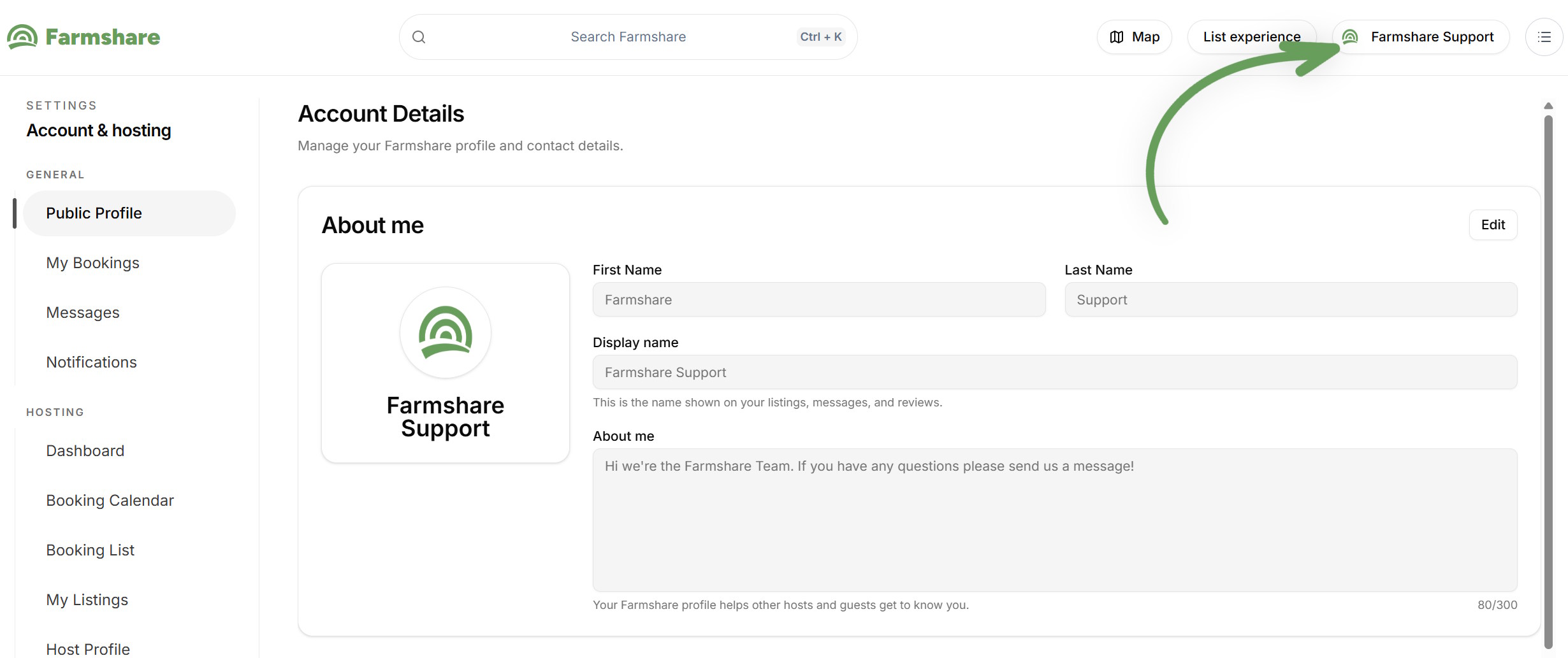
Step One: Log into your Farmshare account and head to the setting/dashboard page
To access the setting page, simply click on your username (see image below). From the settings page/dashboard you can access a lot of important tools to help manage bookings.
From here you can edit your account settings, access your private messages, notifications and manage your bookings.
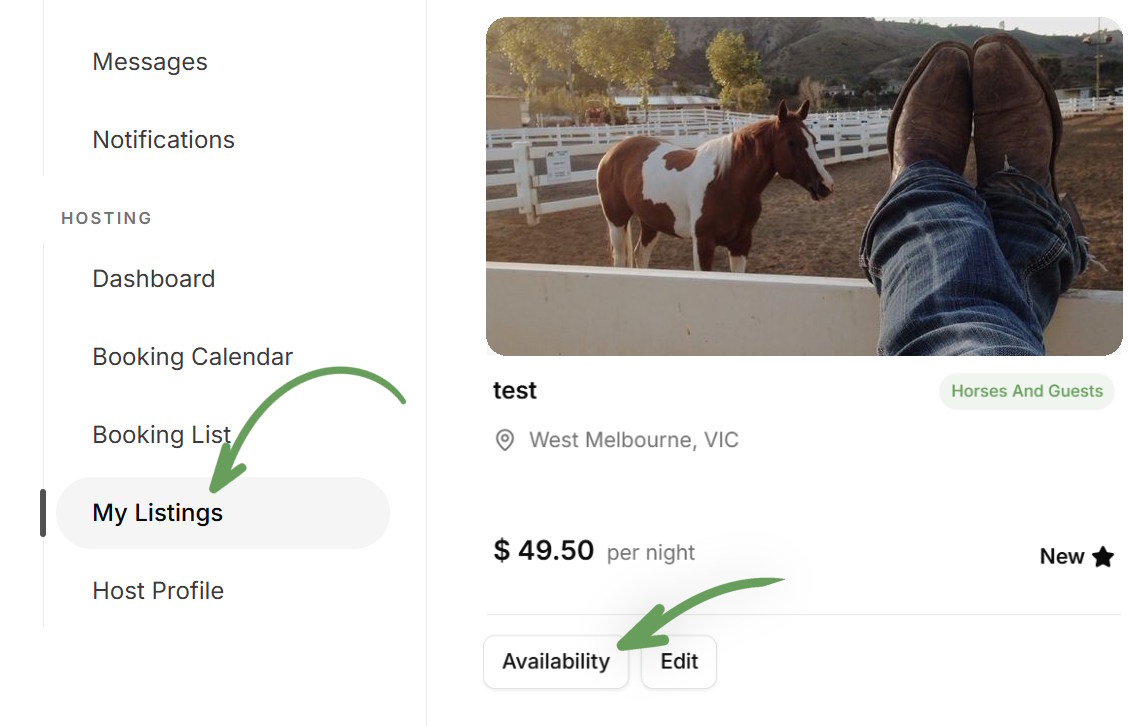
Step Two: Navigate to ‘My listings’ and find the short stay listing you would like to sync your bookings for and Click on the ‘Availability’ button.
The 'Availability' button lets you edit the availability of your listing. This includes the blocking out of certain days, and setting up your calendar sync, to synchronise your bookings with Airbnb and other platforms.
If you need to make changes to your listing- such as price, pictures, or description you can do this via the 'Edit' button.
Step Three: Scroll down to the Calendar sync section
At the top of this section a coloured box tells you, in plain words, whether your calendars are syncing. Underneath it are two steps. Step 1 brings bookings from your other sites into Farmshare. Step 2 sends your Farmshare bookings to your other sites. Do both so the same night can't be booked twice.
Step Four: Add the calendar link from your other site (Step 1 on the page)
Click 'Add a calendar link' and choose the site you take bookings on. Farmshare shows you where to find that site's calendar link. Copy the link from the other site, paste it into Farmshare and click 'Add calendar'.
For Airbnb, the link is found like this:
- In Airbnb, click Calendar and choose your listing.
- Click Availability.
- Under 'Connect calendars', click 'Connect to another website'.
- Copy the Airbnb calendar link shown there.
Here's Airbnb's own guide if you get stuck: How to sync your Airbnb calendar
Farmshare checks the link before saving it, then shows you the next few stays or closed dates it found. Compare these with your calendar on the other site. If they don't match, click 'Remove and try again'.
The most common mistake is copying the address from the top of your browser while looking at your Airbnb calendar. That is the address of the page, not the calendar link, and Farmshare will tell you it can't be used. The right link is the one Airbnb gives you under 'Connect to another website', and it looks like this:
https://www.airbnb.com.au/calendar/ical/12345678.ics?s=...
Step Five: Put your Farmshare link into your other site (Step 2 on the page)
Click 'Create my Farmshare link', then 'Copy link'. On Airbnb, go back to 'Connect to another website', paste the Farmshare link into the calendar address field, give it a name and click 'Add calendar'. Other sites have a similar 'import calendar' or 'sync calendar' setting.
Your Farmshare link goes into your other sites only. Don't paste it back into Farmshare.
How calendar syncing works- iCal
Calendar syncing works with any other platform that uses the iCal system, this includes: Airbnb, Google Calendar, Stayz and VRBO, booking.com, camplify, hipcamp, and others.
Farmshare checks the calendar links you've added every 30 minutes. Any night that is booked or closed on the other site is closed on Farmshare too, and shows on your Farmshare calendar as 'Busy on Airbnb' (or the name of the other site).
Going the other way, each site decides how often it checks your Farmshare link. Airbnb can take a few hours to pick up a new Farmshare booking.
If a calendar shows 'Not working' in the Calendar sync section, Farmshare couldn't read that link, so nights booked on that site may not be blocked here. Remove it and add a fresh copy of the link from the other site.
Tip: A calendar link usually ends in .ics. The address of a web page won't work.